
Spring Into Safety: The Lock, Chain & Keys to Your Digital Safety System
Introduction: Cybersecurity Is a Safety Issue
Chances are, when you left your house this morning, you locked your door.
When you got to work, you probably didn’t leave your keys in an unlocked car.
If you work in HVACR, checking for voltage is built into your diagnostic process.
Safety becomes second nature because prevention is better than panic.
For all the care we take of our physical locks and keys, we often leave our digital doors unattended.
For the final instalment of our Spring Into Safety Series (yes, we know it’s officially summer) UA Local 787 is turning its attention to digital safety and cybersecurity.
In an internet-fuelled world, digital safety affects workers, families, businesses, and anyone using a phone, email account, banking app, portal, or digital record system.
So, basically all of us.
To help break it down, we spoke with local cybersecurity and privacy expert Ross Saunders. With nearly 30 years of experience across logistics, programming, cloud management, information security, and software-as-a-service, Saunders now consults on privacy and cybersecurity governance for mid-size tech companies and supports small businesses through his IT strategy company, Gotaminute? IT Services.
Saunders shares real-world risks, practical prevention tips, and simple habits to protect yourself, your business, and your workflows.
We’ll keep it simple: digital safety comes down to your lock, chain, and keys.
2. But First…The Bigger Picture: Cyber Risk Is Growing for Canadians and Their Businesses
You’re never “too small” to be the target of an online attack.
The Cybersecurity Quick Stats
Canada ranks 13th out of 75 countries when scored for cybersecurity.
More than 10% of Canadian companies that fell victim to ransomware paid the ransom in 2020.
The average ransomware hit cost Canadian companies about $1.1 million in 2023.
Canadian businesses spent approximately $600 million recovering from cybersecurity incidents in 2021. By 2023, that rose to $1.2 billion.
About 1 in 8 businesses were impacted by cybersecurity incidents that resulted in reporting to police services in 2023.
70% of Canadians experienced a fraudulent cybersecurity incident in 2022.
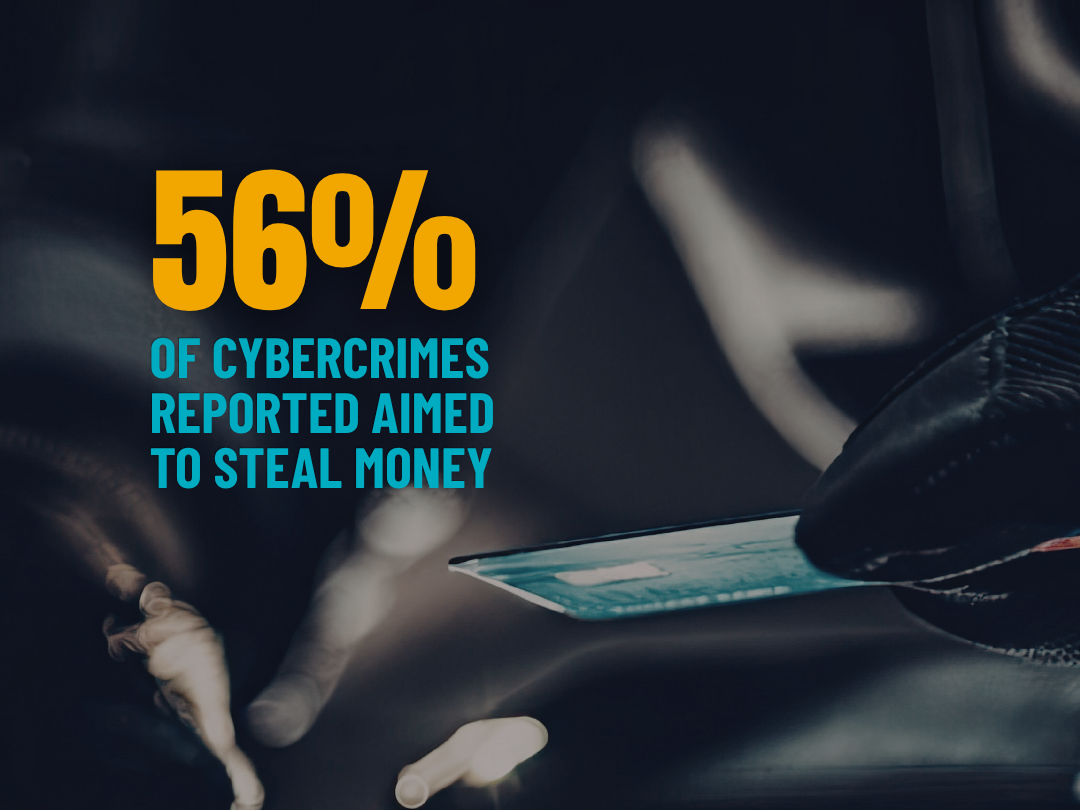
56% of cybercrimes reported aimed to steal money.
Over 40,000 cybercrime incidents were reported to police in the first half of 2025.
If these numbers make your head spin, we get it.
Statistics can feel abstract, but real-world examples make the risk easier to understand. Thankfully we have some of those real examples curtesy of our topic expert, Ross Saunders.
“I have personally been through a breach where an attacker used a false name to join an HVAC company,” Saunders recounts. “[They] gained access to a fintech company's server room, and stole physical hard drives from the room.”
How did this happen? Trust and procedural failure.
“This was possible,” Saunders explains, “because the employee of the fintech breached policy by not accompanying the HVAC team into the server room, as they felt the company was trusted. It was, but the false employee should not have been. This resulted in the theft of almost a terabyte of financial information.”
The HVAC company was trustworthy. The fraudster impersonating its employee was not. It’s a reminder that cybersecurity is not always invisible code. It can involve physical devices and hardware too. It also depends on access, protocol, procedure, habits, and trust. When one area fails, the domino effect can be chilling.
As Saunders explains, “Cybersecurity really does directly influence health and safety, as safeguards around these systems protect people from multiple harms. Systems can be designed to shut down safely if they encounter a threat, but if compromised, they can do harm to those around them.”
Industry-specific systems can be targets for these risks. HVAC is no exception.
“External management of these systems, such as remote HVAC control and monitoring, can be an entry point for attackers,” Saunders recounts. “Back in 2013, Target was (ironically) a target in an attack, whereby hackers obtained credentials to access an HVAC system, and then using that access planted malware on cash registers across their markets. The personal information of 70 million consumers was exposed!”
It’s not just privacy and information, though. Cybersecurity threats can literally kill.
“In a more tragic example,” Saunders mentions, “…a hospital shut down in 2024 with the confirmed death of an individual due to ransomware. Breaches are not only where information is taken out, but also when systems are unavailable. The locked-out systems in this case prevented essential bloodwork results from being obtained, and resulted in the death of a person, harm to 170 others, and the postponement of 1,710 medical procedures.”
It sounds bad because it is. But protecting your digital world may be easier than you think.
When everything you click opens a digital door, be sure to check your locks.
3. Your Lock
If your own digital security feels stressful, you’re in the right place.
This section first breaks down your personal cybersecurity risks:
How they happen
Why they are underestimated
What your biggest threats are
How to spot cybercrimes, and;
How you can lock down your personal digital safety with cybersecurity best practices.
How Do Cybersecurity Risks Happen at All?
Any time you interact online, there is some level of risk exposure. From buying a ticket to paying a bill, countless everyday tasks involving online accounts, confirming email addresses and payment details, or accepting cookies, terms and conditions.
If a digital service helped make it happen, your data likely passed through it because wherever there is a digital system or service, there is an exchange.
You might pay to use the service directly, or access it for free in exchange for seeing ads that support it, or maybe while you use the service, you’re providing information that helps that service understand, track, or market to you.
In other words: we are constantly opening digital doors.
In theory, users should know which digital door they are opening and why.
In reality, even when consent is requested, that does not mean your information is 100% safe along the way. And with every open door, there is a risk that a bad actor may try to sneak in when you’re not looking.
Sucks? We know.
Why Do People Underestimate the Risk?
As Saunders explains, “[a] major reason for falling into unsafe practices is the belief that ‘I'm too small to be a target,’ either as a business or an individual.” But this relies on the idea that you are being targeted by a single individual. The reality is, most cyberattacks are automated. “An AI or bot does not discriminate on how interesting you are; if they have access to your data, they will compromise it.”
Saunders adds that there are other reasons people fall into unsafe digital practices, including digital overwhelm and feeling that the technology is too complicated to learn or implement properly. Time constraints, password fatigue, habits, and changing risks all play a role too.
Another factor? Shifts in our generational demographics.
Saunders sees it firsthand. “We have older generations that were not using the internet in their youth, [believing] everything they see online. Then you get Gen-Xers and Elder Millennials, who witnessed the rise of the internet with a skeptical eye and are well aware of dangers. And then you get younger generations who have known nothing but a connected world, and seem to care very little about their data being used (or misused). So there is a wild pendulum swing, but in all cases critical thinking should be the go-to. If something seems too good to be true, it probably is. Penn Jillette once said ‘If there's something you really WANT to believe, that's when you should question it the most.’ And that rings true on the internet, even more so when it comes to AI generated content.”
Not every threat looks like a threat.
What Are Your Biggest Personal Cybersecurity Risks?
When you create accounts, accept cookies, share emails, save payment details, or agree to terms, your information moves through systems you do not fully control. Intentional or not, that information can be exposed and create risks such as:
Phishing scams
Social engineering scams
Romance scams (“Pig-butchering”)
Crypto investment scams
Product fraud
Identity theft scams
Ransomware or malware
Hacking and unauthorized account access
Any of these can cost us money, identity, and private information.
The unstated additional cost? Our peace.
Cybercrime does not just breach privacy and data. It violates trust and creates real personal and professional stress. When we asked Saunders about the most stress-inducing aspects of a cybercrime, he pointed out: time.
“The race against the clock to prevent a spread of phishing emails, stop an attacker moving in a network, or prevent data from being exported from the network is very real…[It] is the moments between discovering a breach, and successfully containing it. Minutes and seconds count to prevent the attacks from spreading”
And as Saunders astutely points out, the best offence is a strong defence.
With that in mind, let’s break down the prevention methods that matter most.
You click more than you think, so put thought into your digital safety.
Your Personal Cybersecurity Best Practices: Checking Your Own Lock
1. Two-Step or Multifactor Authentication (MFA)
What is it?
A digital security method where the user must provide two separate forms of identification to gain access. Instead of only using a password, you may need a password plus an access code sent by text or email, biometric data such as a face scan or fingerprint, or a physical security key, like a USB or NFC key that you physically use with your device.
Why you’re probably not doing it:
Chances are, you’ve been asked to “enable two-step verification” on an account or device, and you probably skipped it, at least once. It’s understandable. Once you enable it, your sign-in depends on another verification step, such as a push notification or verification code from another device or account. It’s one more step between you and what you need to do.
Why you definitely should:
Ross Saunders’ direct advice: USE IT ON EVERYTHING. As Saunders explains, “if an intruder somehow managed to get a key to your house, two-step verification is the physical door chain that stops their entry.”
“The keys to the house (your password). Someone can unlock the door if they have the password, but they can't fully open it until the chain is removed. It's an extra line of prevention for a compromised password.”
That second verification confirms it is really you trying to get in. If you’re not there to send the multifactor verification, the chain stays on, and the invader stays out.
2. Strong Passphrases
You were probably expecting “password.” A passphrase is a stronger form of password.
What is it?
A passphrase is a password created by linking random words together to form something highly unique and unexpected.
Why you’re probably not doing it:
Most likely? Habit. Most people reuse simple passwords, sometimes with small tweaks. (We’re looking at you, P@ssw0rd123! people.)
Why you definitely should:
A passphrase is a great way to create a memorable and highly secure password. When creating strong passphrases, consider using a minimum of four words, as length is important. For example, “Seahorse_Dance-Brigade-Showcase” would be considered a strong passphrase (but don’t use that one!).
3. A Unique Passphrase for Every Service & Account
The days of using one password for your email, social media, and bank account are long over.
What is it?
Pretty simple: make a strong, unique passphrase for every account.
Why you’re probably not doing it:
It’s a lot of work. It’s a lot to remember. And we all know the deep agony of getting locked out of your accounts because of too many failed login attempts.
Why you definitely should:
We cannot stress this enough: don’t repeat your passphrases. A bad actor getting their hands on a single password risks compromising everything attached to it. One account may hold your name, email, address, credit card information, and more. Now imagine one reused password unlocking several.
As tempting as it is to reduce the mental load by reusing familiar passwords, convenience comes with risk.
4. Consider A Password Manager
You have a lot of accounts, and you’ll likely need to create more. So if remembering an ongoing fleet of passwords seems daunting, we hear you. Consider using a Password Manager.
What is it?
A digital vault that stores a user’s passwords, passphrases, usernames, and other account details. You can use password managers to create and remember login details for your different accounts and services.
Why you’re probably not doing it:
You may have a handful of passwords you use regularly that you remember, or you may already be using a default password manager without realizing it, as many browsers come with default password managers.
Why you definitely should:
Password managers are wonderful tools to help you create, store, and remember new, unique passwords. They often flag when a password is weak, and some managers can detect when an account is at risk of a security breach.
Remember: There are two types of password managers: browser-based and stand-alone.
Browser-based password managers are built into the browser you’re using (Safari, Firefox, Chrome, etc.).
Pros: They are convenient because they use a “remember me” feature to automatically recall your password for you, whenever you’re accessing an account through that browser.
Cons: They aren’t always able to sync across multiple devices and may lack the features of stand-alone password managers.
Stand-alone password managers are third-party tools dedicated to storing and protecting passwords. Unlike browser-based managers, which are often convenience features, stand-alone managers are dedicated to securing users’ passwords and account information.
Pros: They are often more secure, sync across devices and browsers, and support stronger, more complex passwords. Many also offer enhanced features like multi-factor authentication, compromised-site alerts, weak-password warnings, and other protections.
Cons: They usually cost extra and require some setup. They can often be added to your browser as an extension, but may take time to get used to.
Bummed about those cons? Don’t be, because...
Good News: We have a Local 787 Member Perk!
Members can access their discount via the link available on the Members Portal.
Yes, stand-alone password managers can require time, energy and additional cost to set up.
So in preparation for this blog, we reached out to 1Password, a well-known stand-alone password manager.
Why 1Password? Well, the author of this blog has personally used 1Password for years has seen first hand what a reliable, robust, and easy-to-use it cybersecurity tool it is.
(Also, our expert, Mr. Saunders, also references as a quality digital safety tool.)
1Password works across phones, computers, and browser extensions. It can generate and store strong passphrases, autofill login information, and help users securely share access with family members without sending sensitive information through riskier channels like email or chat. It can also store passkeys, credit card information, secure notes, software licences, and other sensitive information.
1Password offers added administrative features for businesses such as security policies, account provisioning, and auditing tools. These features help organizations protect logins and user data while reducing security risks without overcomplicating everyday digital tasks.
A Perk for UA Local 787 Members
For the everyday user, the idea is simple: you may need many strong, unique passwords, but with a password manager, you only need to remember 1Password.
When we connected directly with 1Password, They offered UA Local 787 members 25% off their first year of 1Password on personal or family plans.
This offer is exclusive to UA Local 787 members.
Want to access the discount? Just log in to the UA Local 787 Member Portal, where you’ll find a dedicated link that automatically applies the discount when you sign up.
How Do We Spot Cybercrime Before It Happens?
Not every form of theft or fraud comes from someone hacking into your accounts. Sometimes, attackers get in through deceit, manipulation, and falsified circumstances. Strong passphrases and MFA keep the door locked, but they cannot help if someone tricks you into letting them in.
As Saunders explains, “Some of the worst breaches happen in terms of phishing emails. When someone gains access to your mailbox, they gain access to your life. Chances are you have copies of your ID, passport, SIN number, taxes, and far more in your inbox and sent items. Attackers gain access to these and can wreak havoc on your life in terms of identity theft.”
It is mind-boggling how fast, far, and deep a cyberattack can go to access our information.
“There are many ways that data gets compromised,” Saunders identifies. “It could be compromised from email with phishing - which is probably the most common. If you've ever been successfully phished, you should always reset your password, and then also check for any forwarding rules. In many cases, attackers will add a forwarding rule that sends a copy of all mail you receive back out to them, even after your password is reset. It's a step that most people miss.”
And these risks do not stop with individuals. They apply to companies too.
If you’re sharing a password, you’re sharing the risk.
4. Business Cybersecurity: The Company’s Safety Chain
We’ve covered the first layer of digital safety: your personal lock. But your personal world is not the only system worth protecting. We spend a massive portion of life at work, where another digital world runs through emails, invoices, accounts, devices, platforms, software, operations, and protocols.
If personal cybersecurity is a lock, business cybersecurity is a safety chain. Each part of a company’s digital infrastructure is a link in the chain. Every part of a business is connected, and every link needs protection. The entire chain is only as strong as the weakest link.
So… Are Small Businesses or Skilled Trades Contractors Really at Risk of Cybersecurity Fraud?
Turns out, they are.
“The trades are disproportionately affected by Business Email Compromise, or BEC, as they are pretty much the perfect target,” explains Saunders. “BEC aims to change information on invoices and payments, exfiltrating money to fraudulent accounts and so forth…The trades work in a space where multiple parties are involved in frequent invoice chains. Projects can involve dozens of suppliers and contractors, all being paid at different intervals, so it becomes difficult to keep track. Attackers posing as different parties in the supply chain can cause chaos and the loss of millions!”
What Are Some of the Risks That Affect Companies, Contractors, and Small Businesses?
“In many small businesses and contractors,” Saunders explains, “one of the most common risks I see is that of treating cybersecurity as a one-and-done process. Over time, practices and protections evolve with attacks, and so should the business' approach…many folks who conducted a security exercise 5 or even 10 years ago, and think not much has changed since. It's important to incrementally improve your security posture and keep an eye on it as the world evolves.”
What Types of Cybercrime Can Impact a Business?
So, which weak links should businesses watch most carefully?
Saunders breaks down the cybercrimes most likely to impact small businesses.
“In a business sense,” Saunders goes on, “not paying attention to sender addresses or putting in measures against email fraud (such as DMARC and additional spam filtering) can allow attackers to pose as internal employees, particularly executives, and leads to changes of banking details on invoices, unauthorized purchases, fraud, and identity theft.”
The threat does not stop at the employee inbox. In fact, the opportunities for increased safety risks are plentiful.
“In ransomware or malware,” he continues, “entire networks and businesses can be compromised, often silently. This is why it's important to have malware detection and antivirus that is current. Statistics from IBM show that the average time to detect an attacker in the network is around 200 days, which is plenty of time for them to send out loads of data from the company!”
“Unfortunately,” Saunders concludes, “Once data is out, depending on the type of data, it could be used to extort the business, impersonate its employees, steal employee identities, or conduct fraud in the name of the business. And much like toothpaste out of a tube, it's near impossible to get that data under control once it's been leaked.”
So, How Does a Business Strengthen Its Safety Chain?
“Having a skeptical eye for emails,” Saunders advises, “if you're not expecting [the email] (don't open them!)… [this] and multifactor authentication are two protections”
The weakest link is often the one under the most pressure. One factor Saunders cautions against is the resurfacing pressure of timing. While time matters when trying to contain an active breach, it can also be used to pressure people into mistakes or cause them to act out of panic, especially when applied to a specific industry, field, or urgent circumstance.
“Many attacks take advantage of times or situations where there is additional pressure,” he explains. “Accountants may be attacked during tax season. Tech companies are often attacked on a Friday evening when everyone's gone home. Impersonation attacks may happen while a CEO is travelling. It's important to be aware that in busy periods, being vigilant and skeptic is a benefit to you.”
To a scammer, stress is strategy. It impacts decisions-making and critical thinking, so fabricating urgent scenarios is a high-pressure way for a bad-actor to get the upper hand.
“A key component for many attacks is urgency,” Saunders goes on. “Other factors compound this, such as transactions under time pressure, a workforce that moves around outside of an IT department, and high turnover of staff. All of these create the perfect storm and surface area for attacks. This is a vital area that businesses should protect against, both internally by means of impersonation protection and advanced phishing detection, but also externally in terms of email configuration and solutions like DMARC - which prevent fraudulent senders from succeeding.”
If you think a stressful or urgent situation may be a cybersecurity threat, Saunders’ advice is simple: “take a step back… Breathe, and then act.” He advises, “[better that] than give in to an odd demand requiring unreasonable pressure to perform!”
These tips can help a business reinforce its safety chain. But even with the best locks and chains, there is always another layer of risk: who is holding the keys?
If a bad actor can access it, they can exploit it. Who holds the keys to your data?
5. Employee Cybersecurity: Accountability and Keyholders
The best lock and chain still are not enough if we ignore who has access to the keys.
Employees often have more tethers to their job than they realize. Even off the clock, work devices and unsafe access systems can create risk.
“In the trades,” Saunders describes, “one of the largest risks is that employees are using their own personal devices on job sites to access company systems. This is just the nature of how the industry operates. These devices are often unmanaged and are still used to access project management systems, billing systems, requests for information, and financial systems.”
As Saunders explains, an employee with an unsecured device could pose a risk to the whole company. Just like leaving the building keys exposed on your desk after you’ve left for the day.
The solution Saunders provides?
“Implementing a Bring Your Own Device (BYOD) management system along with supportive policies and an education of what it means in terms of device control (as a business you do not want the hot-potato that is full access to personal phones) goes a long way in mitigating this particular risk. After COVID, this has become much easier with everyone having gone remote for so long, so implementation is probably not as difficult as you think!”
But companies and employees can do more to support a cyber-safe workplace.
“Another key risk is sharing logins for key system,” Saunders mentions. “While sharing logins and passwords for systems comes down to practicality, it makes it very difficult to audit who has access to what, and makes revocation of a password when someone leaves wildly impractical (and near impossible).”
Sharing logins is like giving every employee the same master key. Giving each employee a key for their own office is safe but time-consuming. Making multiple copies of your master key is quick and easy—until a key falls into the hands of a bad actor. Now it’s not just one office at risk, but your entire building.
Saunders’ advice? “Giving each employee their own login mitigates this risk significantly.”
The Lock, Chain, and Keys of Digital Safety: Final Expert Tips
We asked Saunders what single piece of advice he would give a small business looking to improve its cybersecurity. Of course, no single tip can protect every lock, chain, and key. But Saunders shares a few of his most highly recommended tips.
Regarding the easiest safety measure any individual can take, “Hands down, one of the best safety measures is multi-factor authentication,” Saunders says. “Many people hate MFA and find it to be very annoying, and it is if you have multiple methods. Using a cross-platform application for your MFA such as Authy or 1Password takes a lot of the pain out of it, centralising your login codes in a single app that can be transferred when you upgrade your phone.”
When it comes to one’s workplace, Saunders cites his own experience. “As a small business owner myself,” he provides “one of the steps I recommend for tremendous value is moving into Microsoft 365. Particularly in the trades, it's an amazing solution that often will allow you to reduce costs in other areas.”
Luckily, our digital expert has more advice to leave us with, and since we know some cybersecurity measures come with hefty price tags, Saunders offers some reassurance.
“Often, small businesses will look at the cost of a "Premium" license and shy away,” he explains, “however, they do not realise that that single license can cover their full email hosting, advanced phishing protection, antivirus, remote device management, calendar bookings, note taking, communications in the field, and more. Effectively, that single cost can replace several other tool subscriptions.”
“Another great solution,” Saunders provides, “is a shared enterprise password manager, such as 1Password for Business. This allows the business or contractor to manage all the credentials that are shared in a very secure manner, for a very low cost per employee. This, combined with management such as Microsoft 365, can greatly reduce your exposure as a business.”
In the worst-case scenario, if your lock, chain, or keys are somehow compromised, act fast, but don’t panic. “A great tool to check whether you've been involved directly in… large breaches,” Saunders offers, “is to pop your email address into the tool at http://haveibeenpwned.com . This will give you a very easy to read approach as to what to do and how to respond to a large breach.”
In Summary: Digital Safety Systems Are A Form of Stress Prevention
This concludes our Spring Into Safety Series, where we’ve explored safety through the lens of stress: biological, environmental, financial, existential and, finally, digital.
At its core, stress can become a safety hazard of its own, and it can show up in nearly every area of our lives. This series has touched only a fraction of the topics that fall under that theme, but our goal has been simple: that anyone reading left with few more practical tips, tools and strategies for reducing stress and improving everyday safety.
Your digital life—both personal and professional—is a system of its own, complete with pressure points, vulnerabilities and required maintenance. With cybersecurity threats constantly evolving, it makes sense to build regular safety checks into that system. A malicious attack can threaten your finances, digital identity, personal information and professional environment.
Thankfully, digital safety also has layers: your personal lock, your workplace safety chain, and the keys you hold as an employee.
Want to Learn More About Our Subject Matter Expert, Ross Saunders?
Ross Saunders is a business owner, consultant, and digital privacy and security expert with over 25 years experience in Information Technologies.
Want to learn more about Ross? You can explore his full portfolio on linktr.ee, check out his fun and informative industry content on instagram and watch his podcasts and appearances on Youtube.
Looking for more than industry advice? Visit his website gotaminute? IT Services for a free threat assessment for small businesses.